Guides
Trin for trin-vejledninger til opsætning og brug af systemet.
Guides - Text editor styles
-
Guides
- General
- Customers
- Settings
- General settings
- Login settings
- Texts
- Customer tags
- Statistics
- Dashboards and widgets
- Insertion codes
- Permanently delete data
- Direct debit (Only applicable for DK customers)
- Hardware shop (Only applicable for DK customers)
- Advanced settings
- Holiday / Closed
- Booking: Booking status
- Forms
- Record
- Scanning modules
- SMS
- Marketings triggers
- Mail merge
- Automatic data clean-up
- Substitution codes
- iCal Feature
- Tips
- Booking
- Events
- Cash Register Add-On
- Gift Voucher Add-On
- Marketing Add-On
- Record Add-On
- Form Add-On
- Documents
- Online Payment Add-On
- SMS Add-On
- For developers
- Integrations
- General
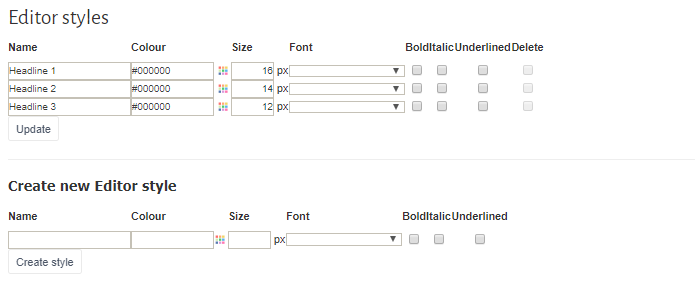
Text editor styles
By pressing 'Text editor styles' you can create your own styles for the text editor that appears when you edit a text. An editor style could be e.g. a headline in a certain colour, font, and size that you often use in your texts. If you create the style here, you do not need to make it from scratch every time you change a text. You can retrieve it directly in the text editor. |